Knowledge is Power: Broadcast, Streaming, Social, & Meeting Platforms

Broadcast platforms refer to electronic communication systems that transmit audio, video, and other multimedia content to a wide audience.

Popular broadcast platforms include traditional media outlets like TV and radio networks, as well as newer digital platforms like podcast apps, social media networks, and streaming services.

Google has its own broadcast platforms, such as YouTube, Google Play Music, and Google Podcasts.

Other popular broadcast platforms include Spotify, Apple Podcasts, Netflix, Hulu, Amazon Prime Video, and Twitch.

Additionally, there are many specialized broadcast platforms catering to specific niches, such as sports, education, news, and religion. Some examples of these platforms are ESPN, TED Talks, CNN, and the Vatican News.

Broadcast Platforms

100 broadcast platforms:

1. Twitch

2. YouTube Live

3. Facebook Live

4. Twitter/Periscope

5. Instagram Live

6. LinkedIn Live

7. Microsoft Teams

8. Zoom

9. Google Meet

10. Hopin

11. Vimeo Live

12. Dacast

13. Livestream

14. StreamYard

15. Crowdcast

16. Brightcove

17. Wowza Streaming Cloud

18. IBM Cloud Video

19. JW Player

20. DaCast

21. Panopto

22. BlueJeans

23. GoToWebinar

24. WebEx

25. ON24

26. Livewire

27. Wirecast

28. Broadcaster Pro

29. OBS Studio

30. vMix

31. Streamlabs OBS

32. Restream

33. Be.Live

34. Freedocast Pro

35. Kaltura

36. Adobe Connect

37. Ustream

38. Switcher Studio

39. Simply Live

40. Cinegy Air PRO

41. Teradek VidiU GO

42. Magewell Ultra Stream

43. Open Broadcaster Software (OBS)

44. XSplit Broadcaster

45. Wirecast

46. Lightstream

47. Ecamm Live

48. VMix HD

49. OBS Ninja

50. Livestream Studio

51. Streamanager

52. Intercall

53. Livestream365

54. Muvi

55. Veeting Rooms

56. VCubeLive

57. Vidyard

58. Panopto

59. BrightTALK

60. DVEO

61. HuddleCamHD

62. iMeet

63. Kollective

64. KnowledgeVision

65. ReadyTalk

66. Sonic Foundry Mediasite

67. Spark Hire

68. Spontania

69. Strawberry Web

70. TrueConf

71. Brainshark

72. GoBrunch

73. Livestorm

74. MeetHook

75. MyOwnConference

76. Sococo

77. TokBird

78. Whereby

79. Yondo

80. Zoomino

81. Azar

82. Camfrog

83. Chatrandom

84. Holla

85. Live.me

86. LivU

87. Monkey

88. ScreenMeet

89. Shagle

90. Skyleti

91. UpLive

92. Wemeet

93. YouNow

94. Zego

95. Zinfog

96. Channelize.io

97. Diligent Boards

98. EngageBay

99. Front

100. Microsoft Stream

Note: This list is not exhaustive, and there may be other broadcast platforms available in the market. Additionally, some of these platforms are designed for very specific use-cases, such as for live streaming social media apps or video conferencing, where others are more general purpose.

Free free to add more platforms, ask question, leave a comment, and like!

RFID Basics: How it Works and How it’s Used in Everyday Life.

There are many different types of RFID tags, but here are some of the most common categories:

1. Passive RFID tags: These tags do not have their own power source and rely on the energy transmitted by the RFID reader to function.

2. Active RFID tags: These tags have their own power source and can transmit signals over longer ranges than passive tags.

3. Semi-passive RFID tags: These tags have a battery that powers onboard sensors, but they still rely on the energy transmitted by the RFID reader to communicate.

4. Low-frequency (LF) RFID tags: These tags operate at a frequency range of 30 kHz to 300 kHz, are low cost, have a short reading range, and are commonly used for access control and animal identification.

5. High-frequency (HF) RFID tags: These tags operate at a frequency range of 3 MHz to 30 MHz, can be read from a distance of up to 1 meter, and are commonly used for payment systems and smart cards.

6. Ultra-high-frequency (UHF) RFID tags: These tags operate at a frequency range of 300 MHz to 3 GHz, can be read from a distance of hundreds of feet, and are commonly used for inventory management and supply chain management.

7. Near-field communication (NFC) tags: These are a type of HF RFID tag that can be read by smartphones and other mobile devices and are commonly used for contactless payments and authentication. 

There are many other types of RFID tags as well, including passive and active tags that operate at super high-frequency (SHF) and extremely high-frequency (EHF) and specialized tags for specific applications.

There are different methods to encode an RFID tag depending on the type of tag and the reader used, but generally, you will need an RFID reader and encoding software to write data to the tag.

Here are the general steps to encode an RFID tag:

1. Choose the type of RFID tag and the data format you want to encode on the tag.

2. Connect the RFID reader to your computer and ensure it is properly configured.

3. Install and open an encoding software that supports your type of tag and reader.

4. Place the RFID tag onto the reader and ensure it is detected.

5. Enter the data you want to encode into the software.

6. Click the “Write” or “Encode” button to write the data to the tag.

7. Verify that the data has been successfully encoded on the tag by reading it with the RFID reader.

Note that some tags may have specific requirements or limitations for encoding, so it’s always best to refer to the tag and reader specifications or the manufacturer’s guidelines.

The type of encoder used to encode data onto an RFID tag depends on the specific tag and the requirements of the application. Here are some examples of encoders and the types of RFID tags they are commonly used with:

1. Low-frequency (LF) RFID tags are typically encoded using LF RFID encoders, which can write data to the tag at a frequency range of 125 kHz to 134 kHz.

2. High-frequency (HF) RFID tags are commonly encoded using HF RFID encoders, which can write data to the tag at a frequency range of 13.56 MHz.

3. Ultra-high-frequency (UHF) RFID tags are often encoded using UHF RFID encoders, which can write data to the tag at a frequency range of 860 MHz to 960 MHz.

4. Near-field communication (NFC) tags are typically encoded using NFC encoders or specialized mobile devices with NFC capabilities.

These are just general examples, and specific encoders may be able to encode different types of tags depending on their capabilities. It’s always best to refer to the tag and encoder specifications or the manufacturer’s guidelines for the best encoder to use with a specific tag.

The specific software used for encoding RFID tags varies depending on the type of tag, the application, and the encoding equipment being used. Here are some examples of software commonly used for encoding RFID tags:

1. For low-frequency (LF) RFID tags, software such as “RFID Encoder” or “ZebraDesigner” can be used with compatible encoding equipment.

2. For high-frequency (HF) RFID tags, software such as “TagXplorer” or “AWID ProxEncoder” can be used with compatible encoding equipment.

3. For ultra-high-frequency (UHF) RFID tags, software such as “Impinj Speedway Connect” or “Alien Technologies ALR-H450” can be used with compatible encoding equipment.

4. For Near Field Communication (NFC) tags, software such as “NFC TagWriter” or “NFC Tools” can be used with compatible encoding equipment or with smartphones and other mobile devices that have NFC capabilities.

It’s important to note that the specific software used for encoding RFID tags will depend on the equipment being used and the requirements of the application. It’s always best to refer to the equipment and software specifications or the manufacturer’s guidelines for the best software to use with a specific tag and equipment.

Any Questions? Please feel free to ask!

Pathways to Innovation: Innovative Video Technology with FFMpeg & Frameworks

FFmpeg is a command-line based open-source multimedia framework that includes a set of tools to process, convert, combine and stream audio and video files. FFmpeg works by taking input from a file or a capture device (such as a webcam), then applying filters and encoding the data to a new format as output.

Here are some key components of how FFmpeg works:

1. Input: FFmpeg can take input from a variety of sources: video files, audio files, image sequences, capture devices, etc.

2. Decoding: Once the input source is defined, FFmpeg decodes the data from its original format (e.g., H.264 video codec) into an uncompressed, linear format, which is easier to process and manipulate.

3. Filters: FFmpeg has a vast set of filters that can be applied to the data, including scaling, cropping, color correction, noise removal, and more.

4. Encoding: After filtering, FFmpeg compresses the data back into a new format (e.g., MPEG4 video codec), using one of many built-in or external codecs. FFmpeg has support for dozens of codecs, containers, and formats.

5. Output: Finally, FFmpeg saves the newly encoded data to a file, streaming server, or other output device, typically in a format such as MP4, AVI, or FLV.

FFmpeg provides a flexible and powerful way to manipulate multimedia content on a wide range of platforms and operating systems. Its command-line interface allows for fine-grained control over every aspect of the processing pipeline, making it a popular choice for integrating into larger workflows and pipelines.

Buckle up, we’re about to dive into the world of frameworks.

In computer programming, a framework is a pre-existing software infrastructure that provides a set of guidelines, pre-made code libraries, and tools to help developers build and deploy applications more efficiently. 

A framework generally consists of a collection of libraries, modules, functions, and other pre-written code that serves as a foundation upon which developers can build their applications. A framework often includes a set of conventions and best practices for developing applications in a specific programming language or domain.

The goal of a framework is to provide a standardized approach to building applications that reduces development time and minimizes the possibility of errors. Frameworks can help developers implement common features like authentication, routing, and database access more easily, allowing them to focus on the unique aspects of their application.

Different types of frameworks are available for different purposes, such as web application frameworks, mobile application frameworks, software testing frameworks, and more. Some popular examples of frameworks include Ruby on Rails, Django, Laravel, React, and Angular.

Please feel free and add to this article.

HLS STREAM Tips: Formats, Encoding, Creation, Software, & Syntax Mastery for Broadcasting

HTTP Live Streaming (HLS) is an adaptive streaming protocol developed by Apple for delivering media content over the internet. To create an HLS stream, certain audio and video formats are required for compatibility with the protocol. Here are the audio and video formats required for HLS:

1. Audio Formats: HLS requires audio to be encoded in either AAC-LC (Advanced Audio Coding Low Complexity) or MP3 (MPEG-1 Audio Layer III) format. However, AAC-LC is recommended because it provides better audio quality at lower bitrates.

2. Video Formats: HLS requires video to be encoded in either H.264 (also known as AVC, Advanced Video Coding) or HEVC (also known as H.265, High-Efficiency Video Coding) format. H.264 is the most widely used video codec for HLS, but HEVC provides better video quality at lower bitrates and is recommended for higher resolution and frame rate streams.

In addition to these audio and video formats, HLS also requires that the media files be segmented into small chunks of equal duration, typically between 2 and 10 seconds. These segments are then delivered to the client using a manifest file (usually an m3u8 file) that contains information about the segments and their URLs.

Overall, HLS is compatible with a wide range of devices and platforms, including iOS and Android devices, web browsers, and streaming media players. By following the recommended audio and video formats, it ensures that the media streams can be played seamlessly across all these platforms.

ENCODING HLS STREAMS

To encode an HLS stream, you need to follow these general steps:

1. Prepare your source media: Before encoding, you need to have your source media in a compatible format (see previous answer for required formats), and you need to segment it into small chunks of equal duration.

2. Choose an encoding software: There are several encoding software tools available such as FFmpeg, Elemental Live, Wowza Streaming Engine, and more. Choose one that fits your needs and supports HLS output.

3. Configure the encoding software: Configure the encoding software by specifying the input format, segment duration, output format (HLS), and other settings.

4. Set up a web server: Set up a web server for hosting your HLS manifest file and media segments. You can use a dedicated web server or a cloud-based one.

5. Encode the media: Use the encoding software to transcode the media into the required HLS format and segment it into small chunks. The software will create an HLS manifest file (.m3u8) that includes information about the segments and their URLs.

6. Upload the output files to the web server: After encoding, upload the manifest file and media segments to the web server.

7. Test the HLS stream: Test the HLS stream on different devices and streaming players to ensure it’s playable and doesn’t have any issues.

Overall, encoding an HLS stream requires specialized software and knowledge of encoding settings and web servers. It’s recommended to follow best practices and reference the documentation provided by your encoding software and web server provider.

How To Create an HLS Stream

To create an HLS stream, you need specialized software called an encoder, which can take your source media and transcode it into the required HLS format. There are several encoding software options available, offering various features and pricing models. Some of the popular encoding software tools for creating HLS streams include:

HLS SOFTWARE & HARDWARE

1. FFmpeg: FFmpeg is a free open-source software that can convert audio and video files into different formats, including HLS output.

2. Elemental Live: Elemental Live is a hardware and software solution that supports real-time video transcoding and streaming with features like ad insertion, scalable live streaming, and more.

3. Wowza Streaming Engine: Wowza is a software-based media server that provides live and on-demand streaming with features like transcoding, live stream recording, and more.

4. Adobe Media Encoder: Adobe Media Encoder is a media processing software that can ingest and output audio and video files in different formats, including HLS.

5. Telestream Vantage: Telestream Vantage is a transcoding software that provides multiplatform content creation and delivery, including support for HLS output.

These tools can help you transcode and segment your media files into the required HLS format and generate the necessary HLS manifest file (.m3u8) that contains information about the segments and their URLs. However, the specific software you choose may depend on your budget, workflow, and other requirements, so it’s important to research and evaluate your options carefully.

HLS SYNTAX

Here are ten examples of the correct syntax for an HLS stream using M3U8 playlist format:

1. #EXTM3U – declares the file as an M3U8 playlist file.

2. #EXT-X-VERSION:3 – specifies the version of the HLS protocol used.

3. #EXT-X-TARGETDURATION:10 – sets the maximum duration of each segment to 10 seconds.

4. #EXT-X-MEDIA-SEQUENCE:0 – indicates the starting number of media segments.

5. #EXT-X-PLAYLIST-TYPE:VOD – specifies that the playlist represents a video-on-demand stream.

6. #EXT-X-ALLOW-CACHE:YES – allows the client to cache the media segments.

7. #EXT-X-DISCONTINUITY – indicates a discontinuity in the media stream, such as a change from one bitrate to another.

8. #EXT-X-STREAM-INF:BANDWIDTH=2000000 – specifies the bitrate and resolution of the video stream.

9. #EXT-X-ENDLIST – indicates that no more segments will be added to the playlist (for live streams, this should be omitted)

10. #EXT-X-MAP:URI=”init.mp4″ – specifies a separate initialization segment for the media stream.

Note that some of these tags are optional, and the syntax may vary depending on the media server and player used. It’s always a good idea to test your playlist with different players and devices to make sure it works well.


Broadcasting Standards Info Track – SaaS, IaaS, PaaS, & Dev Ops

SaaS (Software as a Service) is a cloud computing model where software is provided as a service over the internet, without the need for the user to install or manage the software themselves. With SaaS, users can access software applications through a web browser or mobile app, and the provider takes care of the infrastructure, maintenance, and security of the software.

When using a SaaS application, the user typically pays a subscription fee on a monthly or annual basis. The provider hosts the software on their servers and manages the infrastructure, storage, and security. The user can access the application from anywhere with an internet connection, and can use the application on a pay-as-you-go basis.

VMware is a company that provides virtualization software and cloud computing services. VMware’s flagship product is vSphere, a virtualization platform that allows businesses to manage their data center infrastructure more efficiently by virtualizing their physical servers and creating virtual machines (VMs). VMware also provides cloud computing services through its VMware Cloud platform, which allows businesses to run their applications in the cloud, either on their own infrastructure or in public clouds like Amazon Web Services (AWS) or Microsoft Azure. VMware’s offerings include Infrastructure as a Service (IaaS), Platform as a Service (PaaS), and Software as a Service (SaaS) solutions.

Infrastructure as a Service (IaaS) is a cloud computing model where a provider offers virtualized computing resources, such as servers, storage, and networking, over the internet. With IaaS, a user can rent these resources on a pay-per-use basis and can scale up or down as needed without having to manage the underlying infrastructure. Examples of IaaS providers include Amazon Web Services (AWS), Microsoft Azure, and Google Cloud Platform.

Platform as a Service (PaaS) is a cloud computing model where a provider offers a platform for developing, deploying, and managing applications over the internet. With PaaS, a user can develop and deploy applications without having to manage the underlying infrastructure, which includes servers, storage, and networking. The PaaS provider takes care of these tasks, allowing the user to focus on developing and deploying their application. Examples of PaaS providers include Heroku, Google App Engine, and Microsoft Azure.

Software as a Service (SaaS) is a cloud computing model where an application is provided as a service over the internet. With SaaS, a user can access the application through a web browser or mobile app, without having to install or manage the software themselves. The application is hosted on the provider’s servers, and the provider takes care of maintenance, updates, and security. The user typically pays a subscription fee on a monthly or annual basis. Examples of SaaS applications include Google Workspace, Microsoft Office 365, and Salesforce.

DevOps is a software development approach that emphasizes collaboration, communication, and integration between software developers and operations teams to deliver high-quality software applications. The following is a step-by-step breakdown of the DevOps process:

1. Planning: The first stage of the DevOps process is planning. This involves defining the project requirements, establishing goals, and creating a timeline for the project.

2. Development: In the second stage, the application is developed by a team of software developers using an agile development approach. The code is stored in a version control system and automated builds are triggered when changes are made.

3. Testing: Once the application is developed, it is thoroughly tested to ensure it meets the requirements and is free of bugs. Testing is automated as much as possible, and any issues found are immediately reported to the developers for fixing.

4. Deployment: In the deployment stage, the application is packaged into a container or executable and deployed to the testing and production environments. Deployment is automated to minimize the risk of errors and improve the speed of the release cycle.

5. Monitoring: Once the application is deployed, it is constantly monitored to ensure it is performing optimally and any issues are promptly identified and resolved. This includes monitoring the infrastructure, the application, and customer feedback.

6. Feedback: Finally, feedback is gathered from users and stakeholders, and the results are used to inform future development projects. The feedback is collected continuously throughout the DevOps process, allowing the team to make informed decisions and continuously improve the application.

Broadcasting Standards a Quick Overview: SMPTE2110 & AES67

SMPTE 2110 is a set of standards developed by the Society of Motion Picture and Television Engineers (SMPTE) for professional video over IP (internet protocol) networks. It comprises three separate parts: SMPTE ST 2110-10 for system timing and synchronization, SMPTE ST 2110-20 for uncompressed video, and SMPTE ST 2110-30 for uncompressed audio.

AES67 is a standard developed by the Audio Engineering Society (AES) for professional audio over IP networks. It defines a common protocol for high-quality, low-latency audio transport between different manufacturers’ products and solutions, allowing interoperability between different audio networking systems.

Both SMPTE 2110 and AES67 are widely used in the broadcast and professional media industries, where they provide a flexible and cost-effective way to transport high-quality video and audio signals over IP networks.

Tips: Breaking into the Broadcasting Field

You will need to gain (over time) extensive knowledge and experience in the field. Here are some steps you can take:

  1. Get a degree: A bachelor’s degree in broadcasting or a related field can provide you with a strong foundation of knowledge and skills required in broadcasting.
  2. Gain hands-on experience: Get involved in student radio, TV stations, or other broadcasting organizations to gain hands-on experience.
  3. Specialize: Choose a niche or specialty field within broadcasting, such as sports, news, entertainment, or production, and become proficient in it.
  4. Stay current: Stay up-to-date with the latest trends, technologies, and developments in broadcasting by attending industry events, webinars, and workshops.
  5. Build a network: Build connections within the broadcasting industry by attending conferences, industry events or joining related groups on social media.
  6. Share your expertise: Share your knowledge by writing articles, giving talks, or teaching others in the broadcasting community.

Remember that becoming an SME takes time and dedication. Continuously developing your skills and expertise will boost your career and improve your chances of becoming an SME in broadcasting.

Giving Yourself Credit

If you’re like me, you beat yourself up for every mid-step, mistake you make, big or small. I played softball yesterday and made a ton of good plays, ran for first to be safe like a jet, scored at home plate twice by out running the throw, but also was thrown out once at second base, bobbled a ground ball and didn’t get the runner. I remember the mistakes more than the good stuff.

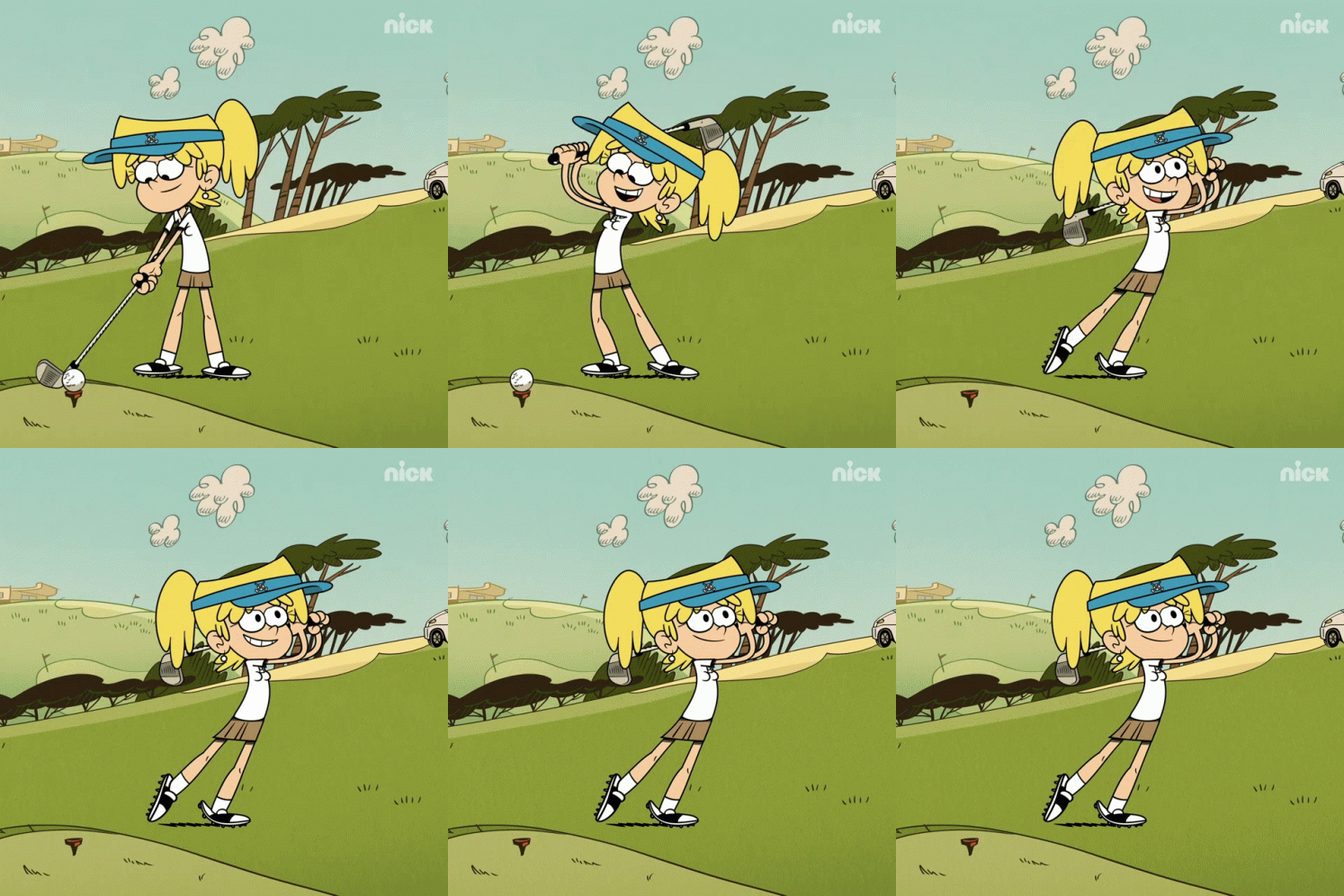
The same goes for my golf game. I hit the ball straight most of the time, but a lot of the time I don’t hit it very far, or get “air” on it. The ball rolls down the fairway pretty far at least and is competitive. But, if I’m swinging over water I choke. If I swing out of a bunker or high grass, I chip like a champ. My tee shot is terrible, my short game is awesome. I love chipping and putting. I practice driving on the range into the water, and I hit equally good and bad shots. Putting and chipping, I’d say I do what I want to do and am successful 90% of the time.

On the driving range

What do I remember most? The misses. It’s time to change that. Especially after all my lofty (pun intended) plans in January. They weren’t resolutions, they were plans.

I also wanted to write everyday. I’ve written some, so I’ve attained that. But, I haven’t written everyday and posted it like I planned to.

I wanted to improve my running time, I hurt my ankle and had to take downtime, so now I started over again last week – slowly.

The Swimming – ankle support

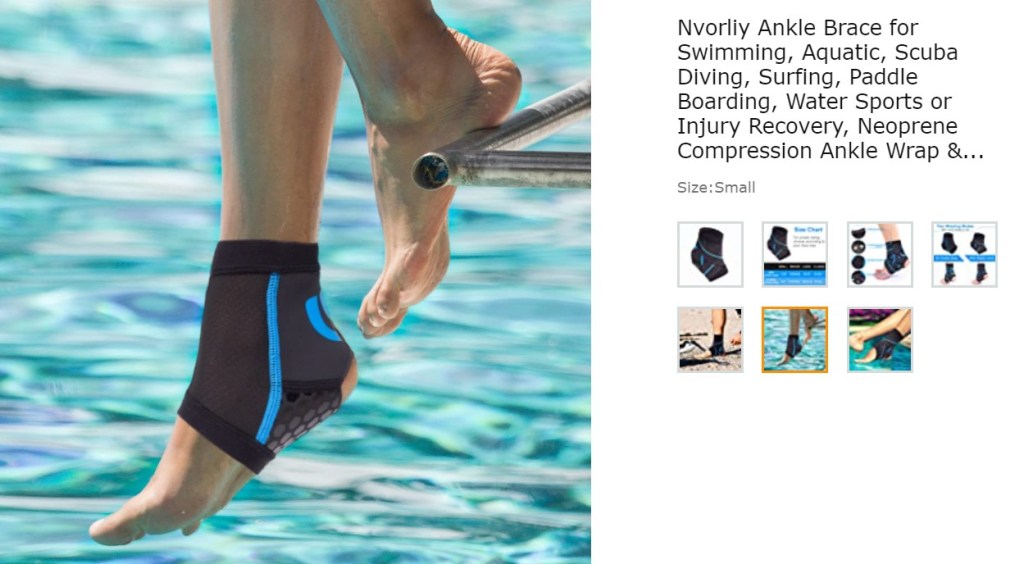
I swim, I’m trying to improve my lap time, but my ankle kept torquing there too, I had to get a swim ankle brace, but I’ve been able to swim regularly again now, and my lap time has improved, and I now do over a mile 5-6 days a week. Days that I feel tired, I have a slower lap time, I beat myself up for going so slow all the way home, but try to shake it off while making dinner.

At work, I can do every right. Cross all I need off my list, and I feel accomplished. Then I realize I forget to get an essential ingredient(s) for dinner at the store. What do you think I think of? Not the accomplishments, but then I pivot on the dinner, and make something else, most of the time it turns out better than I thought it would.

Improvising works!

So, my point it, it’s time to reset. Reset your thinking if you’re like me. Remember the good, the great, the lucky break even. Yes, I’d rather be great or even good than lucky, but I’ll take the luck, any day.

We all need some encouragement sometimes, so hopefully this has helped someone recalibrate their mindset to remember the good or great things you’ve done and accomplished up to now. And, if you’ve taken mid-steps or not even started your plans for 2023, reset now.

There are 24 hours in a day. You can restart your 24 hours at any time, whether it’s 10am, 2pm, or Midnight. It’s YOUR 24 hours. Let go of any regret of not even starting what you set out to do – YET. You can start your 24 hours now, or anytime you choose.

Love Yourself First, the rest Will come. Act and think like “it’s on its way”, and it will come. You need to think that it’s coming first, then it will. Be patient, be persistent, be courageous, be humble, be grateful.

Love yourself like you’re the last YOU on earth, because you are.

Lessons Learned: My First Golf Experience

I’ve learned to Face Everything And Recover (facing one’s fears)

When I was young we had a couple of golf irons (I just called them clubs back then) among a garage bin-full of other sporting equipment. One day my brother and sisters decided to try “golfing” in our front yard for the first time.

I couldn’t tell you the brand of the 2-3 irons, or the golf balls we had acquired from a garage sale, but since it was something we were “trying out” for fun, they did the job for a group of kids ages 7-19 years old just trying something out.

Our corner property was long and large enough to play many sports on. We didn’t have an actual hole or pin, just a target we competed to get within range of. We did this with many activities and sports, it was a lot of fun.

At 7 years old (I was the youngest), I didn’t know anything about golf, but I had watched Wide World of Sports on TV, so I tried to emulate what I saw. Big swing, aim for the ball, and off it went – in at least the smallest of coincidences – it did so in the right direction. But, not for everyone in the group of course.

Here’s where a massive problem arose. It was my third turn up to swing (we started each “round” in order of oldest to youngest at the same place in the yard from the target at the end of the property). I blithely set-up the ball and positioned the shared club (fearless, and unaware at that time). Started on my BIG back-swing. Aaaaaand Whammm – my sister was sneaking up behind me to break my concentration. She succeeded. Aaaaaaand, I accidentally hit her hard with the club just above her left eyebrow. It was a gash, (lucky it wasn’t her eye), but with that back swing, I had given her not just a welt, but a bloody gash, aaaand turns out – a concussion.

She was rushed to the hospital. It took decades for the guilt to go away, and seeing the scar to this day, brings the whole episode to the forefront of my memory. Yes, I do realize that it wasn’t my fault, but I was involved, I was holding the club, I still hold myself responsible even though ultimately my sister was and is ok.

But, I was so traumatized, I didn’t pick up a golf club again until last year. I still to this day look around me before ever thinking of striking a ball (whether a softball, or golf ball, a good idea no matter what).

Later in life, I worked at ABC’s Wide World of Sports – in fact I told my mom earlier that same summer when I was 7, yes 7 that I was going to “work there someday”, and I did. Out of the mouths of children comes truth. I didn’t know what that meant at the time, luckily I do now.

I never was told that was a big dream back then, I wasn’t told it wouldn’t be attainable, I just received the gift reply of “ok honey”. My parents had no idea what it meant either, so there was no reason to not believe it was true.

I worked on many different sporting events including golf – I studied the players for each event I worked so I could recognize them if and when needed. From Golf, College & Monday Night Football, Horse Racing, Auto Racing, Bowling, Ice Skating, and Gymnastics. It was a great time. Thing is, I worked out all the, but stopped playing sports. I didn’t really even realize that until right this moment when I wrote that.

I played sports, did running events, did gymnastics, and dance class in grade & middle school, then went to performing arts high school for dance, but with that stopped “competitive sports”.

After college, I took to physical volunteering for different causes: cycling events, running events, swimming events, then began triathlons, just last year I participated in tough mudders too (and I love doing all of them).

Last year I started playing softball again. I’m relearning everything, I also have set aside my predisposition regarding golf, have taken lessons, and love the entire process. I regret not getting out of my own way mentally about the game. I’m still cognizant of my surroundings, where people, animals, and things are in relation to what I’m doing, not just in golf, but in life as well.

My Personal Take Away:

It’s wise to always know my surroundings, the fear has left, but the good practice of ensuring my and others safety prior to taking any swing (in sports, personally, and business opportunity), is just good sense. Don’t let fear stop you, let it inform you to be careful, but not hinder you action.

Keep Moving Forward, and Enjoy the Journey.

Your Big Break

It’s not a puzzle to be solved

You’ve worked and worked. Shown up, gone above and beyond at work, with friends and family too. You’ve volunteered for the food bank, and local toy drive, helped neighbors with packages, and driven them to appointments they forgot about, and they didn’t want to take a car service.

You’ve gone to holiday gatherings for over a month for work and with friends. You’ve networked with your business contacts, sent notes, emails, well wishes done everything possible to bring good will to others.

Work is great, your friends and family are great, you’ve taken care of your significant other. Now what ?

It’s YOU time, that’s what!

Don’t forget about Yourself. I learned 12 years ago (on my yoga mat) that taking time for yourself is Not selfish, it’s actually one of many self-less things you can do for yourself and others. Ummm hmhmmm – it’s true.

Say what now?

Take one hour for yourself Today in anyway you’d like. A walk, meditate, if you want movement involved – work out (today I worked out, then did yoga, later I’ll play a little golf), listen to music, take a bath, swim, read, write, play an instrument, play /practice a sport, but do it. Yes Today!

You should set aside time everyday for yourself. It doesn’t always need to be an hour, just set aside some “boundary time” (time you will not be disturbed). No kids, no family, no friends, no texting, no social media – just where you’re doing You, unplugged to reset. No bills, no cooking, no cleaning, no kids (even for 5 minutes), breathe…..

This brings you back to you, the best version of you gets to emerge from this practice because not only your wants are met, an intrinsic Need of Re-connecting with yourself occurs.

You don’t know what to pick? It doesn’t HAVE to be any one thing. Pick one thing a day to try. Try something new. I chose yoga, it was the single greatest thing I did, because I didn’t even know at that moment how much I needed it yet. I just wanted to get out of the house, be with people – and try a class at my new gym. This year, learning golf and its process has me in the same zone. It’s amazing.

After the new year I’m taking a 4 day completely unplugged break. No phone, no email, no phone calls (except for emergencies only). I haven’t had a break since COVID began. Working and living at home has crossed some serious time boundaries, every day seemed to run into the next until I set some boundaries.

Exception: In an emergency, “me” time can be interrupted – but the house better be on fire! Ok, maybe not literally on fire, but I think I’ve made my point.

And, if I haven’t made my point. My point is take a break before you do!

Everyone needs even a quick reset, make it a 5 minute a day practice to start (and build from there), I guarantee others will see a positive change in you before you do. You’ll be healthier and much happier.

You’re worth it, believe it, own it, be it. You have permission to just think of yourself for at least 5 minutes a day – for the rest of your life. Then, you can return to your job, following up on tasks, the carpool, doing the dishes, grocery shopping, cleaning up after your pets and loved ones.

This is not a New Year’s resolution. Leave all your worries and things to do outside a virtual or physical door. When I step onto my yoga mat or write, nothing else exists at that moment in time. I can compartmentalize with such focus that nothing else exists, it’s almost like being in a trance. There are hours I’ve easily written through, and stepped onto my yoga mat hundreds of times, hearing just the voice of the instructor, going through the entire class, moving through each Asana, and found myself at the end not even realizing that someone else was in the room with me. It’s transcendent. It’s transformative.

It’s what I didn’t even know that I needed. Permission. Permission to think of just that for that moment in time.

You have permission to break from the task filled universe and be selfish for yourself, then you can be of service and more of yourself with the world.

Do it, you have Permission.