Blog

Big Name Broadcasters Are Using Cloud-based Video Editing and Publishing Platforms

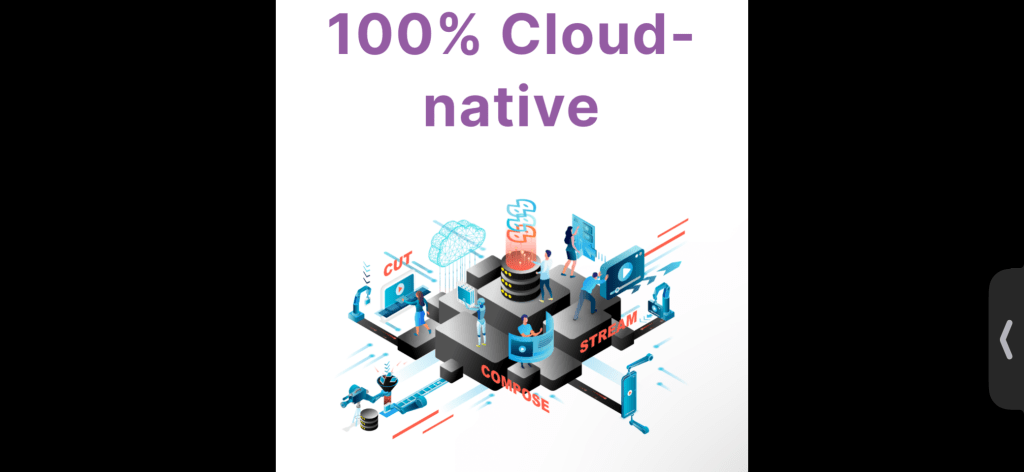
Wildmoka is a cloud-based video editing and publishing platform that allows broadcasters to easily produce and publish video content across multiple platforms. (This is NOT an advertisement, other service providers are listed below, read-on).

To note a few broadcasters utilizing Wildmoka: NBC Sports & News (OTT), RMC Sport, Concacaf, Sky, TennisTV, MLS, Big East, QatarTV, Discover+, ABS•CBN, BFM.TV, France.TV, and beinSports.

NBC is using Wildmoka to produce short-form video content for social media platforms like Twitter, Facebook, and YouTube, as well as longer-form content for the NBC website.

RMC Sport uses Wildmoka to quickly create highlights by automating the clipping and publishing process.

Concacaf uses Wildmoka to provide match highlights and create promotional content.

Sky uses Wildmoka’s platform for real-time highlight creation and publishing across all platforms.

Tennis TV uses Wildmoka to provide live streaming, highlights, and archive content of tennis matches.

MLS uses Wildmoka to produce highlights and promotional content for their social media channels.

Qatar TV uses Wildmoka for real-time video editing and highlight creation during live events.

Big East Conference uses Wildmoka’s platform to create highlights and digital content from its live sporting events to engage with fans and grow its audience.

Discover+ is using Wildmoka to automate personalized video content for its users.

ABS-CBN uses Wildmoka’s platform to create highlights and produce digital content faster.

BFM.TV and France.TV use Wildmoka to create engaging video content by quickly curating and publishing user-generated content.

BEIN Sports uses Wildmoka for content production, particularly for their coverage of international sports events.

One of the major benefits of using Wildmoka is the speed and efficiency with which it allows Broadcasters to produce and publish their video content. The platform’s cloud-based architecture enables real-time editing, which means that the production team can quickly create and publish videos without the need for extensive post-production work. This is crucial for because it allows them to be more responsive to breaking news stories and to stay relevant in a fast-paced media environment.

Wildmoka also offers advanced analytics tools that allows Broadcasters to track the performance of their digital video content across different platforms. These tools provide insights into audience engagement, reach, and other key metrics that can help optimize video content and maximize its impact.

Overall, use of Wildmoka has helped streamline the video production process and increase the reach and engagement of their video content.

What is the basic workflow?

  1. Ingestion: The first step involves importing video content into Wildmoka’s cloud-based platform from various sources such as live feeds, archives, or social media.
  2. Curation: The content is then curated, and clips are created by either manually selecting the highlights or by setting up automated clipping rules using AI-based algorithms.
  3. Editing: The edited clips can be enhanced or edited further using Wildmoka’s cloud-based video editing tools to add graphics, text overlays, and effects.
  4. Publishing: The final edited clips are then published to various platforms such as social media, websites, or mobile applications, either manually or using automated publishing workflows.

Wildmoka’s platform streamlines the entire video production workflow, making it faster and more efficient for media companies to create, edit, and publish their content to multiple platforms.

Here are 25 other companies similar to Wildmoka, and how they differentiate themselves:

1. Vidyard – Vidyard is a video marketing platform that specializes in personalized video campaigns and analytics.

2. Brightcove – Brightcove is a leading video hosting and streaming platform for enterprise businesses.

3. Wistia – Wistia is a video hosting and analytics platform that specializes in video marketing for SMBs.

4. Animoto – Animoto is a cloud-based video creation platform that offers templates and customizable features for businesses.

5. Magisto – Magisto is a video creation platform that uses artificial intelligence to automatically create video content from user-submitted media.

6. Viddyoze – Viddyoze offers a user-friendly platform for creating and editing professional-quality video content.

7. Kapwing – Kapwing offers online video editing tools and templates for creating social media-friendly content.

8. OpenReel – OpenReel is a remote video capture platform that allows businesses to record and edit high-quality video content from anywhere in the world.

9. Lumen5 – Lumen5 is a video creation platform that uses artificial intelligence to create professional-quality videos from text-based content.

10. InVideo – InVideo offers an easy-to-use interface for creating video content with customizable templates and advanced editing tools.

11. Renderforest – Renderforest is an online video creation platform that offers a variety of templates for creating video intros, animations, presentations, and more.

12. Zoomforth – Zoomforth offers a video and media management platform for businesses that need to securely store and share video content.

13. Soapbox – Soapbox is a video creation platform designed for businesses that need to create and share video content for internal communication and training.

14. Uscreen – Uscreen offers a subscription video-on-demand platform for businesses looking to monetize their video content.

15. Hippo Video – Hippo Video is a video marketing and sales enablement platform that specializes in personalized video campaigns and lead generation.

16. Biteable – Biteable offers an online video creation platform with customizable templates and drag-and-drop editing functions.

17. Visme – Visme offers an all-in-one platform for creating visual content, including video content and animated graphics.

18. Powtoon – Powtoon is a video creation platform that specializes in animation and whiteboard videos for business and education.

19. CloudApp – CloudApp offers a screen recording and video creation platform for businesses looking to create and share instructional video content.

20. Qumu – Qumu is a video management and delivery platform for businesses that need to securely store and distribute video content.

21. Shakr – Shakr offers a platform for creating professional-quality video ads with customizable templates and easy-to-use editing tools.

22. ScreenFlow – ScreenFlow is a screen recording and video editing platform for MacOS users.

23. Vyond – Vyond offers an animation and video creation platform that specializes in creating explainer videos for business and education.

24. Animaker – Animaker is a cloud-based video creation platform that offers customizable templates and drag-and-drop editing functions for animated video content.

25. Wave.video – Wave.video is an all-in-one video marketing platform that offers customizable templates and easy-to-use editing tools for creating social media-friendly video content.

Please 👍 my content, and subscribe it’s free!

Short XML Overview

XML (Extensible Markup Language) has several benefits, including:

1. Platform and Application Independence: XML can be used across different platforms and applications as it doesn’t rely on any specific software or hardware.

2. Human-Readable: XML documents are easily readable and can be interpreted by users and software applications alike.

3. Easy to Understand: XML has a simple syntax, which makes it easy to understand and work with.

4. Flexibility: XML is flexible and can be customized to fit different use cases making it a suitable choice for various purposes.

5. Data Exchange: XML can be used for data exchange between different systems, such as information transfer between a website and a database.

6. Transformable: XML documents can be easily transformed through the use of XSLT (Extensible Stylesheet Language Transformations), which allows for the creation of a variety of outputs from a single input.

7. Standardization: XML is a standardized format, which means it is widely supported and has a range of tools, libraries, and frameworks available to work with it.

Overall, the benefits of XML make it a popular choice for data representation and exchange in various domains like publishing, e-commerce, healthcare, finance, and government applications.

Lights, Camera, Safety: OSHA and EHS Guidelines in Film and TV Production

OSHA (Occupational Safety and Health Administration) and EHS (Environmental Health and Safety) are regulatory bodies that set workplace safety standards for employees and organizations in the United States. These standards apply to all industries, including the film and television production industry. 

In a broadcast studio and on-location field, there are a variety of hazards and risks that need to be addressed to maintain a safe work environment. Potential hazards in a studio include electrical equipment, trip hazards, and heavy lighting equipment, while dangers on-location could include extreme weather conditions, heavy camera equipment, and dangerous stunts.

Production companies and studios are responsible for implementing safety measures to ensure the health and safety of their employees, cast members, and crew. This includes providing proper training, protective equipment, and ensuring compliance with OSHA and EHS standards.

In addition to safety, the production process requires extensive planning and organization, from casting to filming to editing, in order to create a successful project. The studio or production company typically provides the infrastructure for the entire process, including equipment, crew, and facilities, as well as hiring key personnel such as directors, writers, and producers.

Overall, the success of film and television production depends on strict adherence to OSHA and EHS guidelines, effective planning, and the ability to work efficiently both in the studio and on-location.

To comply with OSHA and EHS guidelines and ensure a safe and healthy work environment for its employees, a film and television production company typically provides the following infrastructure:

1. Protective equipment: This could include hard hats, safety goggles, ear protection, gloves, and other equipment that can provide protection to the crew against potential hazards.

2. Emergency equipment: Fire extinguishers, first-aid kits, automated external defibrillators (AEDs), and other equipment could be provided to handle potential emergencies on the set.

3. Rigging equipment: For lighting, sound, and cinematography, specialized rigging equipment is necessary. The company should ensure these rigging systems are inspected and maintained regularly.

4. Controlled access: Entrance to certain areas on the set, such as building exteriors or areas with hazardous materials, should be restricted in order to ensure the safety of the crew.

5. Safety personnel: The production company should also provide trained safety personnel during all phases of filming to identify hazards, address possible risks, and ensure that OSHA and EHS guidelines are being followed.

6. Training programs: The production company should provide training to all crew members on emergency procedures, safe work practices, and the proper use of protective equipment and rigging systems.

These are just a few examples of the infrastructure that a film and television production company may provide to comply with OSHA and EHS guidelines. The specific measures taken would depend on the location, scope, and nature of the production.

The specific training programs that a film and television production company should provide to its crew members in order to ensure compliance with OSHA and EHS guidelines include:

1. Hazard Communication training: This program covers the methods used to inform employees of the presence, hazards, and location of dangerous chemicals on the set.

2. Personal Protective Equipment (PPE) training: This program covers the proper use of PPE and how to select, fit, maintain, and wear the equipment.

3. Rigging and Lifting training: This program covers rigging techniques, how to lift and move equipment safely, and proper use of fall protection systems.

4. Emergency Action Plan (EAP) training: This program covers the response procedures for emergencies or accidents on the set, including medical emergencies, fires, and natural disasters.

5. Electrical Safety training: This program covers electrical safety protocols, how to identify electrical hazards on the set, and safe work practices when using electrical equipment.

6. Environmental Health and Safety (EHS) training: This program covers general EHS principles and practices, including hazard recognition, accident prevention, and the safe use and handling of hazardous materials.

7. Site-Specific Safety training: This program covers safety protocols that are specific to the filming location, including location-specific hazards, safety procedures, and emergency protocols.

Overall, the specific training programs required by a film and television production company depend on the nature of the production, the equipment used, and the filming location, and should be designed to address the unique hazards and risks associated with the production.

Tips: Up your game, Angular, MS DevOps, SW Dev w/.NET

Angular, MS Dev Ops, and software development with .NET, you can follow these steps:

1. Understand the technology: The first step is to understand what each of these technologies is and what they are used for. Angular is a popular front-end framework for building web applications, while Microsoft DevOps is a suite of tools and services for continuous integration and deployment (CI/CD) of software. .NET is a widely-used framework for building scalable, reliable, and robust software applications.

2. If you are not sure, try to be more specific and clarify.

3. Identify the key points: Determine the key point(s). This will help you focus your solution and provide a clear, concise response.

4. Provide a relevant information: Once you understand the problem to solve, and its key points, provide a relevant and accurate solution. You may want to draw on your own experience or research to support your findings.

5. Be clear and concise: Make sure your solution presentation is clear and concise, using plain language instead of technical jargon. Avoid going off on tangents or providing irrelevant information.

6. Check for understanding: Once you’ve provided your response, make sure the client asking fit the information understands your response. Encourage them to ask follow-up questions if they need further clarification.

Angular is a front-end web application framework developed by Google. It is designed to make building complex and dynamic web applications easier and more efficient. Here is a brief overview of how Angular works and how to implement it:

1. Component-based architecture: Angular works on a component-based architecture in which each application is divided into small, reusable components. Each component has its own logic, template, and styling and they communicate with each other via input/output.

2. TypeScript: Angular is built on top of TypeScript, which is a superset of JavaScript that adds static types, classes, and interfaces. This makes Angular code more structured and easier to maintain.

3. Reactive programming: Angular uses reactive programming, which is a programming model that enables the creation of asynchronous and event-driven applications. In Angular, reactive programming is achieved through the use of RxJS, which is a library for reactive programming in JavaScript.

4. Dependency injection: Angular provides dependency injection, which is a design pattern that helps manage the dependencies of different components in an application. Dependency injection makes it easier to write modular, testable code.

To implement Angular, follow these steps:

1. Install Node.js: Angular requires Node.js to be installed on your system.

2. Install the Angular CLI: The Angular CLI is a command-line interface for creating, building, and testing Angular applications. You can install it using the following command: `npm install -g @angular/cli`

3. Create a new Angular project: Use the command `ng new <project-name>` to create a new Angular project.

4. Create a new component: Components are the building blocks of an Angular application. You can create a new component using the command `ng generate component <component-name>`.

5. Add routing and navigation: Angular provides a powerful routing and navigation system that allows you to handle navigation between different components. You can add routing and navigation by modifying the `app-routing.module.ts` file.

6. Build and run the application: Use the command `ng serve` to build and run the application on a local development server.

This is just a brief overview of how to implement Angular. To fully master Angular, you should learn about its different features and modules, such as services, directives, pipes, and forms.

Microsoft DevOps is a suite of tools and services for continuous integration and continuous deployment (CI/CD) of software. It includes the following components:

1. Azure DevOps Services: a cloud-based platform for managing the entire DevOps lifecycle.

2. Azure DevOps Server: an on-premises version of Azure DevOps Services.

3. Azure Artifacts: a software package management system.

4. Azure Test Plans: a testing service for web and desktop applications.

5. Azure Boards: a project management service.

CI/CD is a software development methodology that aims to deliver code changes more frequently and reliably. Continuous Integration (CI) is the practice of automating the build and testing of code changes. Continuous Deployment (CD) is the practice of automatically deploying code changes to production.

CI/CD pipelines are used to implement CI/CD. They automate the build, test, and deployment processes to ensure that changes are thoroughly tested and validated before they are released. The pipeline consists of several stages, including build, test, and deployment, with each stage being automated and executed in a predefined order.

To implement CI/CD, you need to:

1. Set up a source code repository, such as Git.

2. Define a pipeline that automates the build, test, and deployment stages.

3. Configure the pipeline to trigger automatically when changes are made to the code repository.

4. Configure the pipeline to deploy changes to a test environment for validation.

5. Configure the pipeline to deploy changes to production once they have been validated.

6. Monitor the pipeline to ensure that it is running smoothly, and troubleshoot any issues that may arise.

Overall, CI/CD helps software teams to build, test, and deploy code changes faster and with greater reliability, while also reducing costs and improving quality.

Broadcasting Info: SQL Data storage, Queries, and Key Differences

An SQL (Structured Query Language) query is a command used to retrieve or manipulate data from a relational database management system (RDBMS) such as MySQL, Oracle, or Microsoft SQL Server. It allows users to access and modify data stored in a database by specifying specific criteria and commands in a structured manner. SQL queries can be used for tasks such as creating, modifying or deleting tables, inserting, updating, or deleting records, selecting data based on certain conditions, and manipulating data in various ways to generate reports.

There are some key differences between these RDBMS:

1. Ownership: MySQL is owned by Oracle Corporation while Oracle and Microsoft SQL Server are owned by their respective companies.

2. Platform support: MySQL runs on multiple platforms such as Windows, macOS, Linux, and UNIX. Oracle also supports all major platforms while Microsoft SQL Server is primarily designed to run on Windows OS.

3. Price: MySQL is open-source and free to use while Oracle and Microsoft SQL Server are licensed, commercial products with varying pricing models.

4. SQL dialect: While all three RDBMS use SQL, there may be some differences in SQL dialect and syntax.

5. Scalability: MySQL and Oracle are highly scalable and can handle large amounts of data, while Microsoft SQL Server has some limitations in this aspect.

6. Security: All three databases have robust security features but have different approaches to authentication, authorization, and encryption.

7. Availability of tools and applications: There are many tools and third-party applications available for all three databases, but there may be some differences in terms of available options and integrations.

Writing an SQL Query

To write an SQL query, follow these general steps:

1. Determine which database and table(s) you want to access.

2. Decide which data you want to retrieve or manipulate.

3. Choose the appropriate SQL statement for the task you want to perform (SELECT, INSERT, UPDATE, DELETE, etc.).

4. Write a statement that declares the column(s) you want to query, using keywords like SELECT or FROM.

5. Add any necessary qualifiers, such as WHERE clauses or JOINs, to filter or combine data based on certain conditions.

6. Run the query to see the results.

For example, a basic SELECT statement that retrieves all data from a table might look like this:

“`SQL

SELECT * FROM table_name;

“`

This statement tells the database to retrieve all columns and all rows from the specified table. More complex queries might involve aggregating data, joining multiple tables, or using subqueries to filter data based on more specific criteria.

Writing an SQL Subquery

Below is an example of a subquery that filters data based on specific criteria:

“`SQL

SELECT * FROM orders

WHERE customer_id IN (

  SELECT customer_id

  FROM customers

  WHERE region = ‘West’

);

“`

This query retrieves all rows from the “orders” table where the “customer_id” matches any customer_ids returned by the subquery. The subquery itself retrieves all customer_ids from the “customers” table where the “region” column is equal to ‘West’. By nesting the subquery within the WHERE clause of the outer query, we can filter the results to include only orders associated with customers in the West region.

I hope this clears up any questions about SQL.  Please reach out with questions or comments.

👍 if you like this content.

Examples of Cisco’s Broadcasting Innovations

I’m not touting any one product or brand. I am trying to give some in-depth abbreviated information on different products. Please reach out if you’d like me to cover a specific product, or aspect of how it works.

1. Cisco’s Media Blueprint: In 2020, Cisco launched a Media Blueprint initiative to help media companies transition to IP-based broadcasting. The blueprint includes hardware, software, and network components that are designed to help media organizations improve agility, scalability, and efficiency.

2. Media Services Proxy: Cisco’s Media Services Proxy is a software solution that helps broadcasters to manage and deliver video streams across multiple platforms and devices. This cloud-based solution provides adaptive bit rate streaming, content encryption, and other features that are critical to modern broadcasting.

3. Acquisition of Scientific Atlanta: In 2006, Cisco acquired Scientific Atlanta, a leading provider of video production equipment and solutions. This acquisition helped Cisco to expand its portfolio of video-related products and services, and to become a major player in the broadcasting industry.

4. Partnership with NBC Olympics: In 2016, Cisco partnered with NBC Olympics to help deliver video coverage of the Rio Olympics to viewers around the world. Cisco provided networking infrastructure, video processing technology, and other solutions to help NBC deliver high-quality, low-latency video streams during the games.

Overall, Cisco has a strong presence in the broadcasting industry, with a range of products and services that help to improve the efficiency, quality, and scalability of video content delivery.

Cisco’s IP-based broadcasting blueprint is a comprehensive framework that provides media organizations with a variety of hardware, software, and network components to help them transition to an IP-based broadcasting infrastructure. 

This blueprint is designed to help organizations improve agility, scalability, and efficiency by providing them with a flexible and scalable platform for content delivery. Here are some key elements of the blueprint:

1. IP-based infrastructure: The blueprint is built on an IP-based infrastructure that provides a flexible and scalable platform for content delivery. This infrastructure includes hardware and software components that help to simplify workflows and improve efficiency.

2. Media processing: Cisco’s blueprint includes a variety of media processing tools that enable organizations to ingest, process, and distribute media content across multiple platforms and devices. These tools include transcoders, encoders, content delivery networks, and other solutions.

3. Networking and security: The blueprint also includes networking and security solutions that help to ensure that media content is delivered reliably and securely. These solutions include routers, switches, firewalls, and other network appliances that are specifically designed for media organizations.

4. Monitoring and analytics: Cisco’s IP-based broadcasting blueprint includes monitoring and analytics tools that help organizations to optimize their workflows and improve quality of service. These tools include real-time monitoring, trend analysis, and other solutions that provide valuable insights into media content delivery.

Overall, Cisco’s IP-based broadcasting blueprint provides media organizations with a comprehensive framework that helps them to transition to an IP-based infrastructure. By providing a wide range of hardware, software, and network components, the blueprint enables organizations to improve agility, scalability, and efficiency while delivering high-quality media content across multiple platforms and devices.

Cisco offers a variety of media processing tools that are part of its IP-based broadcasting blueprint.Here are some of the product names of Cisco’s media processing tools along with the specific products they work with:

1. Cisco Media Processing Platform (MPP): MPP is a platform for building media processing applications using open APIs. It can work with a variety of Cisco hardware products, including the UCS C-Series and B-Series servers, and the ASR 1000 and ISR G2 routers.

2. Cisco Transcoding Manager (CTM): CTM is a software-based transcoding solution that can transcode video content in real-time for delivery across different networks and devices. It works with Cisco’s D9800 Network Transport Receiver and other hardware products.

3. Cisco Video Processing Analytics (VPA): VPA is a real-time video analytics tool that provides insights into video quality, audience behavior, and other metrics. It works with Cisco’s DCM and PRM platforms.

4. Cisco AnyRes Live: AnyRes Live is a cloud-based video processing solution that enables live video encoding, transcoding, and distribution to multiple devices and platforms. It can work with a variety of Cisco hardware and software products, including the ASR 1000 router, the UCS C-Series server, and the cloud-based Cisco Streaming Services platform.

These are just a few examples of the media processing tools offered by Cisco. The specific products that each tool works with may vary depending on the particular solution and deployment.

Cisco Routers with & without PTP

Cisco routers can support Precision Time Protocol (PTP) to provide accurate time synchronization between different devices, networks, and applications. PTP is commonly used in industrial applications such as power grids, telecommunications, and automation to ensure precise timekeeping for critical processes.

Cisco offers a wide range of routers with and without PTP support. Some of the popular router series that offer PTP support include:

1. Cisco 829 Industrial Integrated Services Router: this router is designed for industrial and mobile applications and supports both PTPv1 and PTPv2.

2. Cisco ASR 1000 Series Aggregation Services Router: this router offers carrier-class performance and supports PTPv2 for accurate time synchronization.

3. Cisco Catalyst 3650 Series Switches: these switches can be used as routers and support PTPv2 for accurate time synchronization in enterprise networks.

4. Cisco ISR 4000 Series Integrated Services Routers: these routers support PTPv2 and offer high-performance routing and security features for branch offices and small to medium-sized businesses.

On the other hand, there are also Cisco routers that do not support PTP, which may be more suitable for customers who do not require precise time synchronization. Some examples of Cisco routers without PTP support include:

1. Cisco 800 Series Integrated Services Routers: these routers are designed for small businesses and home offices and do not support PTP.

2. Cisco 1900 Series Integrated Services Routers: these routers offer advanced threat protection and VPN connectivity but do not support PTP.

3. Cisco 2900 Series Integrated Services Routers: these routers offer a high-performance and secure platform for medium-sized businesses and do not support PTP.

It is important to note that the availability of PTP support may vary depending on the specific router model and the software version running on it.  It is always recommended to consult Cisco documentation.

If you have any questions or comments please hit me up.  If you “like” this content please 👍 

Thank you,

Nic

Broadcasting Tips: CDNs, How They Work & How to integrate them.

A CDN (Content Delivery Network) is a geographically distributed network of servers that helps deliver content (such as web pages, images, videos, etc.) to users from servers that are geographically closer to them, resulting in faster page load times and better user experience.


A CDN typically works by storing cached copies of a website’s content on multiple servers distributed across different geographic locations, called edge servers. When a user requests content from the website, the CDN automatically redirects the request to the server that is geographically closest to the user, reducing latency and minimizing network congestion. The CDN also helps to distribute network load and protect against Distributed Denial of Service (DDoS) attacks, among other benefits.

A Content Delivery Network (CDN) is a network of servers spread across different geographic locations that work to deliver content to end-users in the fastest and most efficient way possible. Load balancing is a technique used by CDNs to distribute traffic among multiple servers.

The goal of load balancing is to prevent any single server from becoming overwhelmed with traffic, which can lead to slowdowns, errors, and user dissatisfaction. By distributing traffic across multiple servers, load balancing helps to ensure that each server processes a reasonable amount of traffic at any given time.

CDNs use load balancing to accomplish several important goals, including but not limited to:

1. Improved performance: By distributing traffic across multiple servers, CDNs can minimize latency, reduce packet loss, and improve overall performance for end-users.

2. High availability: Load balancing helps CDNs to maintain high availability by distributing traffic to backup servers if a primary server fails or experiences downtime.

3. Scaling: Load balancing makes it easier for CDNs to scale their infrastructure up or down based on traffic demand. This can help them avoid overprovisioning or underprovisioning their resources, which can be costly or result in performance issues.

Load balancing is a critical component of CDN infrastructure, helping to ensure that content delivery is fast, reliable, and scalable.


Edge servers are a key component of CDN architecture. They are small-scale data centers that are strategically placed in multiple distributed locations around the world, as close to end-users as possible.

When a user requests content from a website, the nearest edge server to the user intercepts the request and serves the cached content that exists on that edge server itself. If the content is not available, the edge server pulls it from the origin server, caches it locally, and then serves it to the requesting user.

Edge servers are designed to handle high traffic loads and to deliver content with low latency and minimal network congestion. They help improve the performance and reliability of websites by reducing the distance that data needs to travel, and by distributing network load across multiple servers.

Choose a CDN provider: There are many CDN providers available, such as (in no particular order):

  1. Cloudflare
  2. Akamai
  3. Amazon CloudFront
  4. Fastly
  5. Limelight Networks
  6. StackPath
  7. Verizon Media
  8. KeyCDN
  9. CDN77
  10. BunnyCDN
  11. Incapsula
  12. Google Cloud CDN
  13. Alibaba Cloud CDN
  14. Microsoft Azure CDN
  15. Rackspace CDN
  16. CacheFly
  17. Peer5
  18. Edgecast
  19. SoftLayer CDN
  20. Tata Communications CDN
  21. CDNify
  22. CDNsun
  23. Section.io
  24. OnApp CDN
  25. G-Core Labs
  26. LeaseWeb CDN
  27. QUANTIL
  28. CDN.net
  29. Sucuri
  30. Highwinds CDN
  31. CDNvideo
  32. Medianova
  33. Swarmify
  34. NTT Communications CDN
  35. Velocix
  36. Aryaka
  37. Yottaa
  38. Zenlayer
  39. Cedexis
  40. Verizon Digital Media Services
  41. CenturyLink CDN
  42. Comcast CDN
  43. Lumen CDN
  44. OVH CDN
  45. Cedexis Openmix
  46. SkyparkCDN
  47. CDNlion
  48. Level 3 CDN
  49. CDNetworks
  50. Hibernia CDN

Choose a provider that suits your needs.

Here are the general steps to set-up / integrate a CDN:

  1. Sign up for the CDN service: Sign up for the CDN service and create an account.
  2. Configure your origin server: Configure your origin server to allow CDN access by Whitelisting the CDN provider’s IP addresses.
  3. Create a CNAME record: Create a CNAME record that points to your CDN provider’s domain name. For example, if your CDN provider’s domain name is cdn.example.com, create a CNAME record for cdn.yourdomain.com that points to cdn.example.com.
  4. Test your CDN: Test your CDN to make sure it’s working properly.
  5. Configure caching settings: Set caching rules for your CDN, including the duration of the cache lifetime and how frequently the CDN should check for updates.
  6. Configure security settings: Set security rules to protect your content and prevent unauthorized access.
  7. Monitor your CDN: Monitor your CDN to ensure it’s performing as expected and make adjustments as necessary.

If you have any questions or comments please leave them.

Please like if this content is helpful…

Broadcast Standards: Agile Methodologies & the Stakeholders They Effect

 Agile methodologies are a set of practices that help teams to be more flexible and responsive to change. They emphasize the importance of frequent communication, collaboration, and continuous delivery of working software. 

Agile methodologies include, but are not limited to:

1. Scrum: Scrum is an Agile methodology that focuses on delivering a potentially releasable product increment at the end of each iteration. It is based on an empirical process framework with predefined roles, ceremonies, and artifacts.

2. Kanban: Kanban is an Agile methodology that emphasizes flow efficiency and not delivery speed. It is based on a visual management system that helps team members visualize work items, track progress, and reduce waste.

3. Lean: Lean is an Agile methodology that emphasizes delivering customer value with the minimum possible waste. It is based on the concepts of eliminating waste, continuous improvement, and creating pull-based systems.

4. Extreme Programming (XP): XP is an Agile methodology that emphasizes software engineering best practices to enable teams to deliver high-quality software. It is based on the practices of test-driven development, pair programming, continuous integration, and frequent releases.

5. Crystal: Crystal is an Agile methodology that is based on the philosophy of adapting to the needs of the project at hand. It is designed to be lightweight and flexible, and focuses on communication and collaboration between team members.

6. Dynamic Systems Development Method (DSDM): DSDM is an Agile methodology that is based on a project framework that emphasizes collaboration, iterative development, and continual business involvement.

7. Feature-Driven Development (FDD): FDD is an Agile methodology that focuses on delivering tangible, working software features. It is based on five iterative and incremental processes, which include developing an overall model, building a feature list, planning by feature, designing by feature, and building by feature.

8. Adaptive Software Development (ASD): ASD is an Agile methodology that focuses on continuous refinement, cooperation, and communication between the development team and the stakeholders. It is based on the principles of collaboration, self-organization, and rapid adaptation.

9. Rapid Application Development (RAD): RAD is an Agile methodology that emphasizes speedy development and prototyping. It is based on the principles of iterative development, continuous user involvement, and rapid feedback.

10. Agile Unified Process (AUP): AUP is an Agile methodology that is based on the principles of simplicity, agility, and adaptability. It is a hybrid methodology that combines the principles of Agile development with best practices from the Unified Process.

11. Agile Modelling (AM): AM is an Agile methodology that emphasizes collaboration and communication between developers, stakeholders, and users. It is based on the principles of iterative development, frequent feedback, and frequent releases.

12. Scrumban: Scrumban is a hybrid Agile methodology that combines the principles of Scrum and Kanban. It is designed to help teams transition from Scrum to Kanban, or to combine the best practices of both methodologies. It is based on visualizing work, limiting work in progress, and continuously improving the process.

• Different methodologies can be used for different teams in the same company.

The goal of Agile is to help teams deliver high-quality software that meets the customer’s needs, while at the same time adapting to changing requirements and priorities. Agile methodologies promote a culture of continuous improvement, where teams strive to deliver better software with each iteration.

Agile processes in broadcast television refer to the application of Agile methodologies in the production and delivery of TV shows and programs. 

These processes involve breaking down the production process into smaller, more manageable tasks called “sprints,” each of which is completed within a set period of time. 

During these sprints, cross-functional teams of writers, producers, editors, and others collaborate closely to create and refine content, incorporating feedback from stakeholders and viewers along the way. 

This approach emphasizes flexibility and adaptability, allowing teams to make adjustments as needed throughout the production process. It also helps to prioritize the most important features or elements in a show, ensuring that they are delivered on time and within budget. 

Overall, Agile processes can help broadcast television teams work more efficiently and effectively, producing high-quality content that meets the needs of viewers and stakeholders alike.

Who are the stakeholders?

The stakeholders in broadcasting can vary depending on the type of broadcasting organization and its business model. However, in general, the following groups are typically considered stakeholders in broadcasting:

1. Audience: The people who use and consume broadcast content, including TV and radio viewers and listeners, website and app users, and social media followers.

2. Advertisers and sponsors: Companies and organizations that pay to advertise or sponsor content on broadcast media.

3. Government regulators: Organizations that regulate broadcasting operations and programming content, such as the Federal Communications Commission (FCC) in the United States and Ofcom in the United Kingdom.

4. Shareholders and investors: Individuals or organizations that own a stake in the broadcasting company, including stockholders and venture capitalists.

5. Employees and talent: Those who work for the broadcasting company, including executives, producers, directors, writers, actors, and technicians.

6. Independent producers and studios: Production companies or studios that sell content to the broadcasting company.

7. Industry partners: Partners and suppliers who contribute to the creation and distribution of broadcast content, including equipment manufacturers, technology companies, and distributors.

Please reach out with any questions, and like if you found this information useful.

Designing Fault-Tolerant and Highly Available Services on AWS.

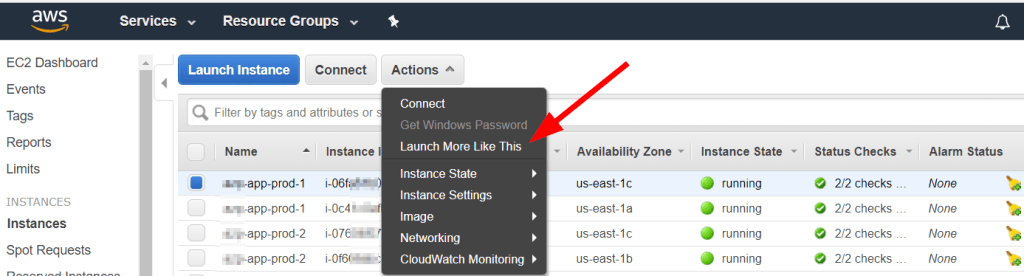
Amazon Elastic Compute Cloud (EC2) is a web-based cloud computing service provided by Amazon Web Services (AWS) that enables users to rent virtual computers on which they can run their own applications. EC2 allows users to quickly and easily provision a virtual machine (i.e., an instance) with the desired configuration, including a choice of operating system, CPU, memory, storage, and network options. 

Users can choose from a wide selection of instance types optimized for different workloads, including general-purpose, compute-optimized, memory-optimized, and storage-optimized instances. EC2 also provides other features such as Auto Scaling, which allows users to automatically adjust the number of instances based on demand, and Elastic Load Balancing, which distributes incoming traffic across multiple EC2 instances.

EC2 instances can be used for a variety of purposes, including hosting websites and web applications, running database servers, processing big data and analytics workloads, and running machine learning and AI algorithms. Users can pay for EC2 instances on a pay-as-you-go basis or opt for reserved instances to save money on long-term usage. EC2 also integrates with other AWS services, such as Amazon S3 for storage and Amazon RDS for managed databases, to provide a complete cloud computing solution.

Amazon RDS (Relational Database Service) is a managed database service provided by Amazon Web Services (AWS) that makes it easy to set up, operate, and scale a relational database in the cloud. With Amazon RDS, users can choose from several popular database engines, such as Amazon Aurora, MySQL, PostgreSQL, Oracle, and SQL Server, and run them in a fully managed environment, with automatic software patching, backup and recovery, and scaling.

Amazon RDS takes care of routine database tasks such as hardware provisioning, database setup, patching, backup, and recovery, leaving users free to focus on their core business applications. RDS also provides several scaling options, such as horizontal scaling using Read Replicas and vertical scaling using Elastic Inference, to meet the changing demands of applications.

With RDS, users can choose between several deployment options, such as single-AZ, multi-AZ, and global databases, to achieve the desired level of availability and performance for their applications. RDS also integrates with other AWS services, such as Amazon EC2, AWS Lambda, and Amazon CloudWatch, to provide a complete cloud computing solution.

By using Amazon RDS, users can achieve cost savings, higher availability, and better scalability than traditional on-premise database solutions while benefiting from the flexibility and agility of the cloud.

Note: Amazon EC2, AWS Lambda, and Amazon CloudWatch are three different services provided by Amazon Web Services (AWS) that serve different purposes:

1. Amazon EC2 is a web-based cloud computing service that allows users to rent virtual machines to run their applications. EC2 allows users to choose the configuration of their virtual machines, such as the operating system, CPU, memory, storage, and network options. Users can run a wide variety of applications on EC2, including web servers, databases, and analytics tools.

2. AWS Lambda is a serverless computing service that allows users to run code without provisioning or managing servers. With Lambda, users simply upload their code to AWS and Lambda takes care of running and scaling it in response to incoming requests. This enables users to build highly scalable, event-driven applications without worrying about managing infrastructure.

3. Amazon CloudWatch is a monitoring and management service for AWS resources. CloudWatch collects and tracks metrics, logs, and events from various AWS services, including EC2 and Lambda, and provides a unified view of the operational health of the services. CloudWatch also provides alerts and notifications based on predefined thresholds, enabling users to take corrective action proactively.

In summary, Amazon EC2 provides virtual machines for running applications, AWS Lambda provides a serverless computing environment for running code, and Amazon CloudWatch provides monitoring and management for AWS resources. While they can be used together, they serve different purposes and are designed to meet different needs.

Reach out with questions, and feel free to leave comments!

Optimize Your Video Workflow and Improve Productivity Using FFMpeg, Ruby on Rails, Django, Laravel, React, and Angular.

Revisiting FFMPEG, and adding Ruby on Rails, Django, Laravel, React, and Angular

FFmpeg is a command-line based open-source multimedia framework that includes a set of tools to process, convert, combine and stream audio and video files. FFmpeg works by taking input from a file or a capture device (such as a webcam), then applying filters and encoding the data to a new format as output.

Here are some key components of how FFmpeg works:

1. Input: FFmpeg can take input from a variety of sources: video files, audio files, image sequences, capture devices, etc.

2. Decoding: Once the input source is defined, FFmpeg decodes the data from its original format (e.g., H.264 video codec) into an uncompressed, linear format, which is easier to process and manipulate.

3. Filters: FFmpeg has a vast set of filters that can be applied to the data, including scaling, cropping, color correction, noise removal, and more.

4. Encoding: After filtering, FFmpeg compresses the data back into a new format (e.g., MPEG4 video codec), using one of many built-in or external codecs. FFmpeg has support for dozens of codecs, containers, and formats.

5. Output: Finally, FFmpeg saves the newly encoded data to a file, streaming server, or other output device, typically in a format such as MP4, AVI, or FLV.

FFmpeg provides a flexible and powerful way to manipulate multimedia content on a wide range of platforms and operating systems. Its command-line interface allows for fine-grained control over every aspect of the processing pipeline, making it a popular choice for integrating into larger workflows and pipelines.

Buckle up, we’re about to dive into the wild world of frameworks.

In computer programming, a framework is a pre-existing software infrastructure that provides a set of guidelines, pre-made code libraries, and tools to help developers build and deploy applications more efficiently. 

A framework generally consists of a collection of libraries, modules, functions, and other pre-written code that serves as a foundation upon which developers can build their applications. A framework often includes a set of conventions and best practices for developing applications in a specific programming language or domain.

The goal of a framework is to provide a standardized approach to building applications that reduces development time and minimizes the possibility of errors. Frameworks can help developers implement common features like authentication, routing, and database access more easily, allowing them to focus on the unique aspects of their application.

Different types of frameworks are available for different purposes, such as web application frameworks, mobile application frameworks, software testing frameworks, and more. Some popular examples of frameworks include Ruby on Rails, Django, Laravel, React, and Angular.

1). Ruby on Rails is a popular open-source web application framework that is primly used to create dynamic, database-driven web applications. It is built on top of the Ruby programming language, and provides developers with a set of tools and conventions for building modern web applications. Some of the core features of Ruby on Rails include its emphasis on convention over configuration, the use of a Model-View-Controller (MVC) architecture, and a wide range of built-in libraries and tools for handling common web development tasks, such as database management and asset compilation. Overall, Ruby on Rails is ideal for building complex, data-driven web applications quickly and efficiently.

1A) The Model-View-Controller (MVC) architecture is a design pattern that is commonly used in software engineering to create scalable, modular, and maintainable web applications. The key idea behind the MVC architecture is to separate the different components of the application into three interconnected layers:

– Model layer: This layer is responsible for representing the data and the domain logic of the application. It encapsulates the data and provides methods for manipulating it, as well as rules for enforcing constraints and performing computations.

– View layer: This layer is responsible for presenting the data to the user. It provides a user interface that allows the user to interact with the application, and displays the data in a meaningful and intuitive way.

– Controller layer: This layer is responsible for handling user input and coordinating the communication between the Model and View layers. It receives input from the user, manipulates the data in the Model layer, and updates the View layer to reflect the changes.

– The main advantage of the MVC architecture is that it promotes separation of concerns, making it easier to build and maintain complex web applications. By keeping the different layers separate, developers can modify or replace a component without affecting the others, making it easier to test, debug, and extend the application.

2) Django is a popular Python-based web framework that is often used for building complex, scalable, and data-driven web applications. It provides developers with a range of tools and libraries for handling common web development tasks, such as request handling, database management, and user authentication. Some of its key features include its built-in admin interface, robust security features, and support for rapid development.

2A) A Python-based web framework is a software framework that is built using the Python programming language and provides developers with the tools and libraries they need to build web applications quickly and efficiently. 

Web frameworks provide a set of pre-written code and tools that help developers define the structure, behavior and presentation of web applications. Some of the most popular Python-based web frameworks are Flask, Django and Pyramid, each offering their particular strengths and weaknesses.

These frameworks typically provide a variety of features and functionality, including:

– Routing: mapping of URLs to application code.

– Request/response handling: Parsing HTTP requests and sending HTTP responses.

– Template engine: allowing developers to create reusable HTML templates for UI rendering.

– ORM (Object-Relational Mapping): simplifies database access by abstracting the underlying SQL and database tables with Python classes and objects.

– Authentication and session management: developers can control user login, logout and session tracking.

– Server-side caching: to optimize the serving of static assets and large response data.

– Error handling

Using a Python-based web framework, developers can minimize the amount of low-level or repetitive code they need to write, speeding up the development process and ensuring the quality of the application.

3) Laravel is a popular PHP-based web application framework that is primarily used for building backend web applications. It provides developers with a range of tools and libraries for handling common web development tasks, such as routing, database management, and user authentication. Some of its key features include its elegant syntax, built-in support for unit testing, and support for building RESTful APIs.

3A) RESTful APIs (Representational State Transfer Application Programming Interfaces) are a type of web service architecture for building client-server communications over HTTP. RESTful APIs provide a standardized way for clients to interact with server-side resources in a stateless manner.

REST architecture is based on the following principles: 

– Client-server architecture: A clear separation is maintained between the client and server components in the interaction.

– Stateless: Client-server communication is free of any context of previous requests from the client. Every request is a self-contained transaction without requiring knowledge from past transactions.

– Cacheable: Responses from the server can be cached by the client to enhance performance

– Uniform interface: Standardized interfaces for interactions that include four different types of operations: HTTP Methods: GET, POST, PUT, DELETE and HTTP codes like 200 for success or 404 for not found. 

– Layered system: Components of the endpoints can be created in layers to improve scalability, security, load balancing and support.

– Code On Demand (optional): Capability to return executable code on-demand like Javascript code served within HTML.

RESTful APIs can work with various formats, including JSON, XML, and plain text. RESTful APIs are widely used to integrate web applications, microservices architectures, mobile applications and other distributed systems. Applications, web services or websites can use these APIs to deliver data to various platforms and devices, enabling easy cross-platform and device communication.

4) React is a popular JavaScript library that is primarily used for building user interfaces in web or mobile applications. It allows developers to create highly interactive and responsive UIs using reusable components, making it ideal for building applications that require a lot of user interaction. Some of its key features include its declarative approach, virtual DOM, and support for building composable UI components.

Declarative Approach:

4A) React is a JavaScript library designed for building user interfaces. It’s based on three key concepts that make it unique and powerful:

1. Declarative approach

2. Virtual DOM

3. Support for building composable UI components

– Declarative Approach: React follows a declarative approach to building user interfaces, which means that you tell React what you want your UI to look like, and it takes care of the rest. Instead of directly manipulating the DOM (Document Object Model), which can be time-consuming and error-prone, developers provide React with a description of the desired UI structure and state.

– Virtual DOM is a lightweight copy of the actual DOM in the memory that React uses for rendering. It allows React to update only the parts of the DOM that have changed, rather than re-rendering the entire UI on every update. This makes React much faster and more efficient than traditional DOM manipulation.

– Support for building composable UI components:  React supports building composable UI components, which are modular building blocks that can be combined to create complex user interfaces. Each component is independent of each other, making it easy to reuse code and design complex interfaces in a modular approach. React components are also highly customizable, can have state and are designed to be reusable multiple times across different scenarios.

Adding these concepts together, React provides a simple, efficient and maintainable way to build complex, highly interactive user interfaces that can scale easily. React’s declarative approach, virtual DOM, and support for building composable UI components help to make development faster, more enjoyable and scalable. 

5) Angular is a popular JavaScript framework that is often used for building complex, scalable, and data-driven web applications. It provides developers with a range of tools and libraries for handling common web development tasks, such as data binding, dependency injection, and user authentication. Some of its key features include its support for building Single Page Applications (SPAs), two-way data binding, and support for building reusable UI components.

5A) Single Page Applications (SPAs). It offers many features to help developers create scalable web applications with a strong focus on user experience. Here are three key features of Angular: 

– Support for building Single Page Applications (SPAs): Single Page Applications (SPAs) are web applications that load a single HTML page and dynamically update as the user interacts with the application. Angular provides a modular architecture and Routing system which helps developers to create scalable, single-page apps that can run in any web environment.

– Two-way data binding: Angular’s two-way data binding feature allows the exchange of data between a component’s view and its model. Data changes in the view are automatically propagated to the model, and vice versa, without the need for additional coding. This feature simplifies code and makes it more readable, as developers don’t need to write as much code for data update mechanisms.

– Support for building reusable UI components: Angular follows the Component-based architecture, where components are modular and can be reused throughout the application. These components are also designed to be decoupled and extendable, which makes them more flexible to adapt to different scenarios. This feature allows developers to create a UI toolkit that can be reused across different web projects, making the app development process faster and more efficient.

Angular’s support for Single Page Applications, two-way data binding, and reusable UI components make it a powerful framework for developing complex, scalable web applications with ease. With its ease of use, it reduces the complexity of development, increases productivity and ultimately improves user experience with fast application speed and functionality.

Please reach out with questions, comments. Please like if you enjoy this content.

Thank you!